Business and investment

DirectInfo — Legal information on businesses: practical guide

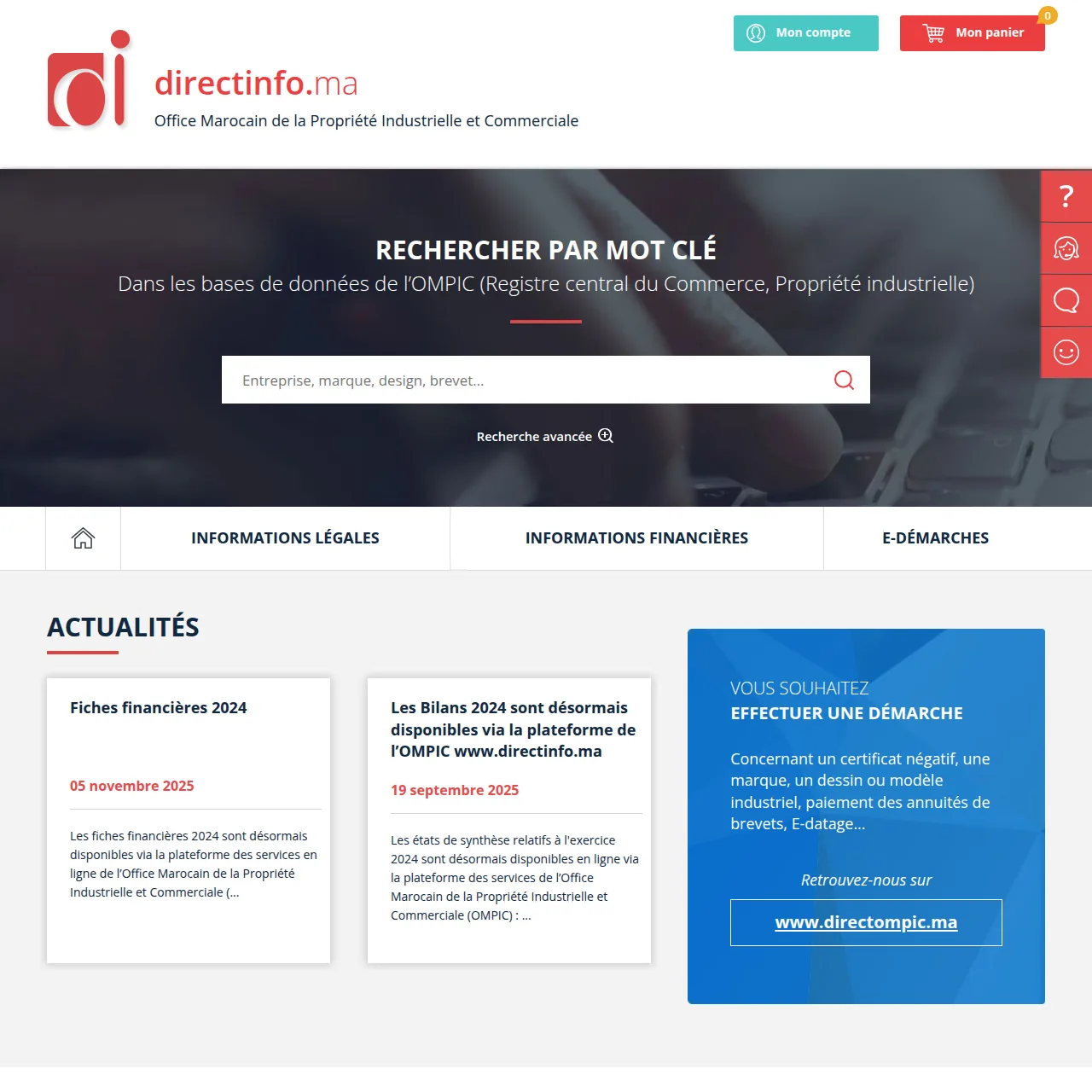
Platform for searching and ordering legal and financial information on registered companies.

Self-employed entrepreneursSMEs
Organization
OMPIC
Profiles
Self-employed entrepreneurs, SMEs
Data verified
2026-07-24
Independent directory. e-services.ma provides information and guidance without carrying out the procedure on your behalf. Always rely on the official website of the administration concerned to check requirements, required documents, processing times and any applicable fees.

Go to the official website ↗

e-services.ma lists the main public portals useful to citizens, Moroccans residing abroad (MRE), self-employed entrepreneurs and SMEs. Visit our website!

You need to use DirectInfo, but you do not want to waste time looking for the right portal, the right information or the right procedure. This is a common situation: a digital public service can simplify a formality, provided you know exactly what it allows you to do and what checks to make before you begin.

The e-services.ma listing describes DirectInfo — Legal information on businesses as follows: “Platform for searching and ordering legal and financial information on registered companies.” It links the service to OMPIC, in the category Business and investment, and identifies it as relevant to self-employed entrepreneurs and SMEs. The directory data is shown as verified on 2026-07-24. This guide expands on these points without inventing documents, fees or processing times that are not stated in the source.

DirectInfo: what is this online service for?

DirectInfo — Legal information on businesses falls within the scope of business creation, management and development. According to the supplied information page, its main purpose is: Platform for searching and ordering legal and financial information on registered companies. This wording is important because it defines the scope that can be presented with certainty from the source.

Formalities vary depending on the legal form, activity, location and stage of the project; good preparation helps avoid repeated back-and-forth. You should therefore start from your actual need rather than the portal name alone. A single platform may include several features, while some operations may later require approval, an additional document, a visit in person or action by another service.

The role of DirectInfo in your procedure

Think of this service as a digital access point for the uses explicitly listed on the page. Depending on the features actually offered, it may help you consult information, prepare an application, submit an item or track a transaction. However, the availability of an online service does not automatically mean that the entire procedure is digital from start to finish.

  • Search for a company : Information, reference or lookup result corresponding to your search.
  • Obtain a Commercial Register document : Document or official record requested, subject to eligibility and the requirements stated on the official portal.
  • Verify information : Result depending on the selected feature and the requirements of the official service.

Which user profiles may find this service useful?

The listing classifies DirectInfo for the following profiles: Self-employed entrepreneurs, SMEs. This classification helps you quickly assess the service’s general relevance, but it does not replace the detailed eligibility requirements on the official portal.

  • Self-employed entrepreneurs : check that your situation matches the use case and the service requirements.
  • SMEs : check that your situation matches the use case and the service requirements.

How can you use DirectInfo without wasting time?

The most effective approach is to prepare your procedure before you click through. This reduces the risk of having to stop an online submission because you are missing a reference, supporting document or requested piece of information. Also keep in mind that the official service may change its screens, requirements or access arrangements.

Step 1: define exactly what you want to do

Start by stating your objective in one simple sentence. Do you want to consult information, request a document, make a payment, submit an application or track a case? The use cases associated with this page are Search for a company, Obtain a Commercial Register document, Verify information. If your need is different, check whether you should use another online service from the same organization.

Step 2: gather the information you will need

Before accessing the portal, prepare the information that identifies your situation: case references, login details, contact details, information about the transaction concerned and supporting documents already in your possession. This is not about inventing a list of required documents. The aim is simply to avoid having to look for basic information while filling in the form.

Items to check before you begin

  1. The exact name of the service and the feature you need.
  2. Responsible organization: OMPIC.
  3. Your profile or capacity for the procedure: Self-employed entrepreneurs, SMEs.
  4. The company’s legal form, activity, authorizations, supporting documents, deadlines and the competent portal.
  5. The processing times, fees and delivery arrangements displayed when you submit the request.
  6. A way to keep proof: acknowledgement, reference, receipt or confirmation screenshot where relevant.

Step 3: use the official portal

The access button on this page takes you to the official DirectInfo portal. Always check the domain name before entering personal data or making a payment. e-services.ma remains an independent directory: it guides you, but it does not process your case or collect any fees on behalf of the organization.

Documents, results and procedures related to DirectInfo

The term “document issued” does not apply to every digital service. Some services produce an official document or supporting record; others provide access to information, register a submission, enable a payment or display tracking information. The table below lists only the uses stated on the source page and indicates the type of result you should confirm.

Listed use caseExpected document, result or informationEssential verification
Search for a companyInformation, reference or lookup result corresponding to your search.Confirm on the official portal before starting the procedure.
Obtain a Commercial Register documentDocument or official record requested, subject to eligibility and the requirements stated on the official portal.Confirm on the official portal before starting the procedure.
Verify informationResult depending on the selected feature and the requirements of the official service.Confirm on the official portal before starting the procedure.

Practical table before your procedure

Check pointKnown informationWhat you need to do
ServiceDirectInfo — Legal information on businessesChoose the feature that exactly matches your need.
OrganizationOMPICCheck the rules and operational information with this organization.
CategoryBusiness and investmentCompare with other services in the same category if this does not match your need.
ProfilesSelf-employed entrepreneurs, SMEsCheck your actual eligibility before submitting.
Required documentsNot exhaustively detailed in the source listingConsult the list displayed on the official portal for your specific case.
Fees and processing timesTo be checked for the specific procedureCheck the current amounts and processing times before confirming.
Resulta business formality, registration, information or support serviceRead the delivery, download, tracking or notification arrangements.

Which documents should you prepare for DirectInfo?

The source provided does not contain an exhaustive regulatory list of documents to attach for every scenario. It would therefore be misleading to present a standard file as though it applied to every user. Requirements may depend on your status, the type of transaction, the location, the date or information already held by the administration.

A useful checklist without inventing requirements

  • Prepare your personal or business identification details only if they are relevant to the service.
  • Keep at hand any case, contract, vehicle, property, declaration or registration references relevant to your situation.
  • Make clear digital copies of the supporting documents the portal actually asks for.
  • Check file format, size and legibility before uploading.
  • Do not submit extra documents “just in case” if the portal does not request them.
  • Review the information entered before final confirmation.

Documents issued: how can you check the exact result?

When your goal is to obtain a document, look on the portal for the exact description of what will be generated or provided: electronic document, attestation, certificate, receipt, authorization, extract or another result. Also check whether the document can be downloaded immediately, is sent later, must be collected from an office or requires prior approval. The e-services.ma listing does not replace this operational information.

OMPIC: what is the role of the responsible organization?

The source page links DirectInfo — Legal information on businesses to OMPIC. This information helps you identify the institution to consult when you need an official rule, a contact, an appeal procedure or clarification about a particular case.

e-services.ma has a different role: the site organizes services by organization, category and profile to make navigation easier. The descriptive listing should therefore not be confused with the information system that receives your request. For an administrative decision, document requirement, fee or processing time, the official portal and the information published by the responsible organization remain the authoritative reference.

DirectInfo and services business and investment in Morocco: mistakes to avoid

Most errors are not caused by a lack of care, but by confusion between several similar procedures. In the business and investment field, make a habit of checking the exact scope of the service before submitting anything.

  1. Using an unofficial link: use the domain shown on this page or the organization’s institutional website.
  2. Starting without your references: prepare the information needed to identify your case.
  3. Assuming the required documents are always the same: check the requirements for your specific situation.
  4. Confusing an estimate with a decision: a simulation, lookup result or displayed status does not always have the same legal or administrative effect as an official document.
  5. Ignoring confirmations: keep the numbers, receipts or acknowledgements generated by the service.
  6. Relying on an outdated procedure: check the interface and rules in force when you carry out the procedure.

How can you check DirectInfo fees and processing times?

Fees and processing times are sensitive information, and an approximation may mislead you. The source listing does not provide an exhaustive amount or duration applicable to every case. You should therefore check these points directly on the official portal before confirming your transaction.

When the service displays a cost, check what it covers, the accepted payment method and the proof of payment that should be generated. For timing, distinguish the time needed to submit online from the actual processing or delivery time. An instant submission does not necessarily mean the final result is immediate.

Protecting your data when using DirectInfo

An administrative or professional service may request personal, financial or business-related information. Use a device and connection you trust. Check the website address before entering any information, avoid sharing your login credentials, and never give a security code received by SMS or app to someone who unexpectedly asks for it.

After completing your procedure, keep only the evidence you need and protect downloaded documents when they contain sensitive data. If you use a shared computer, sign out of the account and delete any files you do not want to leave on the device.

DirectInfo FAQ: frequently asked questions

What is DirectInfo for?

The source page presents DirectInfo — Legal information on businesses as a service related to business and investment. Its function is summarised as follows: Platform for searching and ordering legal and financial information on registered companies. The exact features must be confirmed on the official portal.

How can you access DirectInfo online?

Use the link to the official portal shown on this page. Before entering personal information, check the domain name and make sure the selected feature exactly matches your need.

Which documents should you prepare for DirectInfo?

The source page does not provide a complete, universal regulatory list of documents to submit. First prepare the identification information and references relevant to your case, then consult the list displayed by the official portal for your specific procedure.

Does DirectInfo issue a document or certificate?

The result depends on the feature used. For this service, the identified use cases are: Search for a company, Obtain a Commercial Register document, Verify information. Some features may produce a document, information, tracking status or a submission; always check the result described by the official service.

Who manages DirectInfo?

The listing links this service to OMPIC. e-services.ma is a private, independent directory and does not carry out the procedure on the user’s behalf.

What are DirectInfo processing times and fees?

Processing times and fees may depend on the procedure and your situation. Because they are not detailed on the source page, do not rely on a generic amount or timeframe: check the information displayed on the official portal when you submit your request.

How can you avoid a mistake before using DirectInfo?

Review the exact service title, prepare the useful references, check the company’s legal form, activity, authorizations, supporting documents, deadlines and competent portal, then use only the official portal. Also keep any confirmations, case numbers or receipts generated when available.

Conclusion: prepare your DirectInfo procedure with the right information

DirectInfo can simplify access to business creation, management and development, provided you use the right feature and verify the information that depends on your situation. The listing gives the service, its responsible organization, category, relevant profiles and several use cases; the exact documents, fees, processing times and operational requirements must be confirmed on the official portal.

Before you begin, use a simple method: define your objective, prepare your references, check the company’s legal form, activity, authorizations, supporting documents, deadlines and competent portal, then keep proof of your procedure when it is generated.

Ready to continue? Access the official DirectInfo portal ↗

Sources and verification date

This page is based on information contained in the e-services.ma source listing, shown as verified on 2026-07-24, and on the link to the official portal of OMPIC. For any regulatory or operational information, consult directly the official website associated with the service.